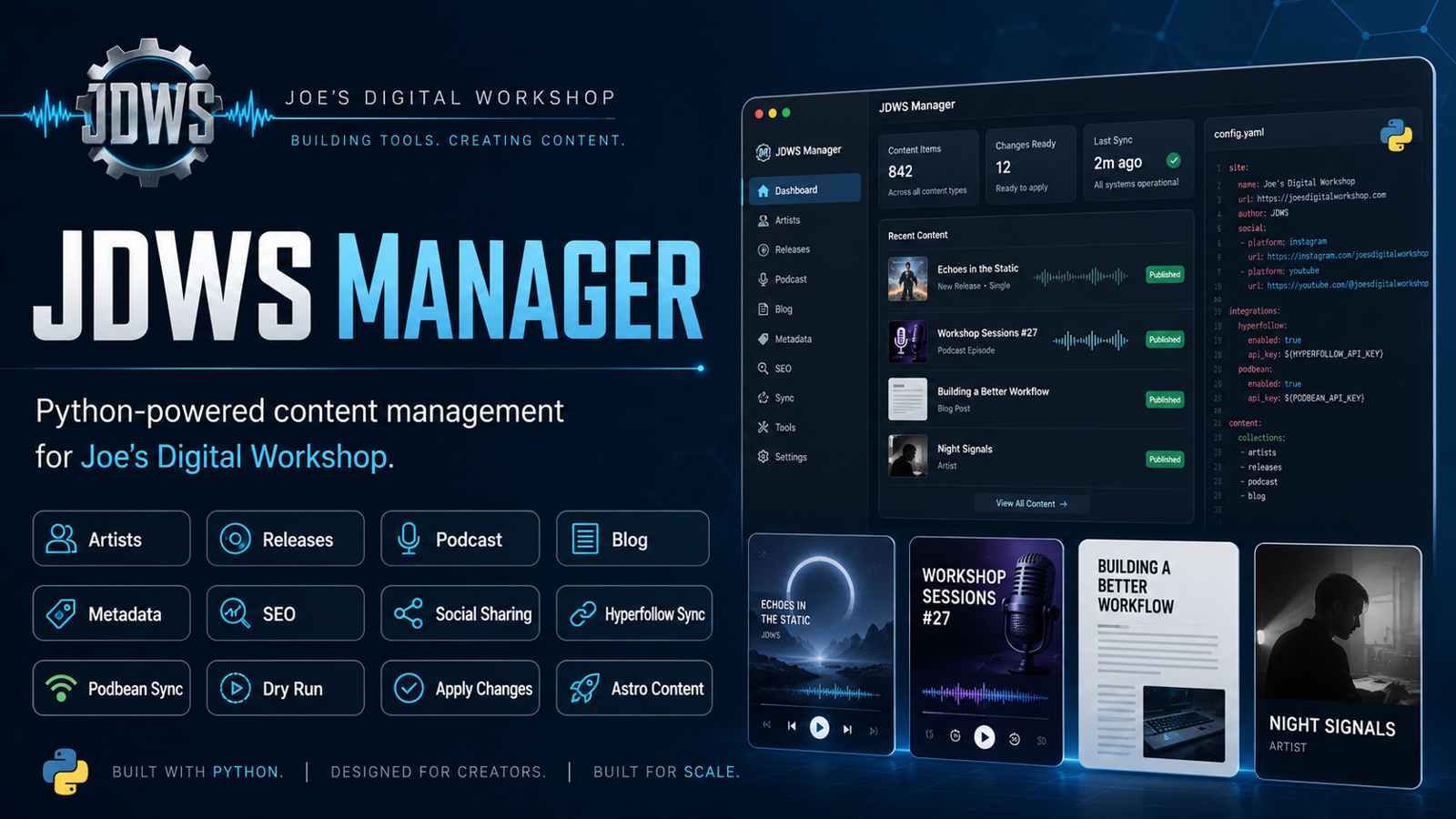
Python Alternative to TinaCMS to Manage this Astro Site
I built a Python-based alternative to TinaCMS for managing this Astro site. This post is also the first real test of creating and publishing a blog post through the new JDWS Manager.
This is a test.
Not a particularly glamorous test, perhaps, but an important one.
If you’re reading this on Joe’s Digital Workshop, this blog post was created using a Python application I built specifically to manage the content on this Astro website.
Until recently, I relied primarily on TinaCMS to manage blog content. Tina works, but as I began expanding the site with music, artists, releases, and a revived podcast, I found myself wanting something much more closely tailored to the way I actually work.
So I built one.
The JDWS Manager
The new application is called JDWS Manager.
It started as a utility for managing the music section of this site. I needed a practical way to add artists, releases, artwork, metadata, streaming links, and all of the supporting information without manually editing a collection of MDX files.
That eventually turned into a Python GUI that could read and modify the site’s content directly.
Then I asked an obvious question:
If it can manage the music, why can’t it manage the podcast too?
So I added podcast management.
That worked surprisingly well.
The application can now manage podcast metadata, show notes, artwork, transcripts, and Podbean information while continuing to use the existing Astro content system underneath.
The next obvious question was the blog.
Replacing the CMS Without Replacing Astro
One thing I really like about Astro is that the content remains simple.
A blog post is essentially an MDX file containing structured metadata and Markdown content. Astro builds the site from those files, GitHub gives me complete version history, and Netlify handles deployment.
I don’t actually need to replace any of that.
What I wanted to replace was the editing experience.
Instead of opening a CMS, the JDWS Manager can now:
- list existing blog posts
- edit titles, excerpts, dates, categories, and tags
- edit SEO metadata
- manage hero image information
- edit the complete Markdown or MDX article body
- perform a dry run before changing a file
- open the live version of an article
- open the underlying MDX file in an external editor
- create an entirely new blog post
The content is still just content.
The Python application is simply becoming the interface I use to manage it.
Why Build My Own?
Normally, building your own CMS would probably be a questionable use of time.
But the economics of small software tools have changed dramatically.
I’ve been using ChatGPT and Codex together to develop these systems. I tend to use ChatGPT more like a software engineer, working through architecture, scope, validation, and detailed implementation instructions. Codex then works through those instructions inside the actual codebase.
That combination has made relatively specialized tools like this practical to build.
The result does not need to become a commercial CMS used by thousands of people.
It only needs to work extremely well for one person managing one website.
That changes the equation quite a bit.
The Bigger Idea
The Python GUI is useful by itself, but I don’t think the GUI is the final destination.
What interests me more is separating the actual content-management logic from the interface.
The Blog Manager, for example, now has a Python backend that knows how to safely create and update the site’s blog content. The graphical interface is simply one way to interact with that backend.
That opens the door to other interfaces later.
A future workflow might look something like this:
Voice notes
    ↓
AI processing
    ↓
Structured article
    ↓
JDWS content backend
    ↓
Astro
    ↓
Website
💬 Comments & Discussion
Comments are powered by GitHub Discussions. You'll need a GitHub account to participate.